
Welcome to TonaFund Campaign Management!
As a campaign administrator on the TonaFund platform, you play a vital role in shaping meaningful fundraising experiences. This comprehensive guide equips you with the tools, workflows, and insights necessary to manage campaigns efficiently and in alignment with the platform’s standards and mission.
-
Campaign Review & Approval :
Admins can access and evaluate all newly submitted campaigns from the admin panel.
Each submission can be either approved to be published or rejected based on content guidelines and platform policies.
This review process helps maintain a high standard of trust, transparency, and legitimacy across the platform.
Rejected campaigns remain visible only to admins for recordkeeping and potential reconsideration. -
Campaign Status Tracking :
Campaigns are automatically labeled based on their timeline: Running, Upcoming, or Expired.
This automated classification helps admins quickly assess which campaigns are active, scheduled for the future, or have ended.
Admins can use these statuses to prioritize campaign visibility or promotion efforts.
It also helps users easily navigate and engage with timely fundraising efforts. -
Featured Campaign Highlighting :
Selected campaigns can be marked as Featured by admins to gain extra visibility across the site.
Featured campaigns are highlighted in homepage banners or spotlight sections to attract donor attention.
This tool is ideal for promoting urgent causes, trusted campaigns, or initiatives that align with platform goals.
Admins can toggle this status easily to rotate visibility among deserving campaigns. -
Campaign Verification :
Campaigns can be marked as Verified once their information, documents, or organizers pass a credibility check.
This helps distinguish authentic and trustworthy campaigns from unverified submissions.
Verified status builds confidence among donors and reassures them about the cause's legitimacy.
Unverified campaigns remain visible but flagged for limited exposure until verification is complete. -
Filter-Based Navigation :
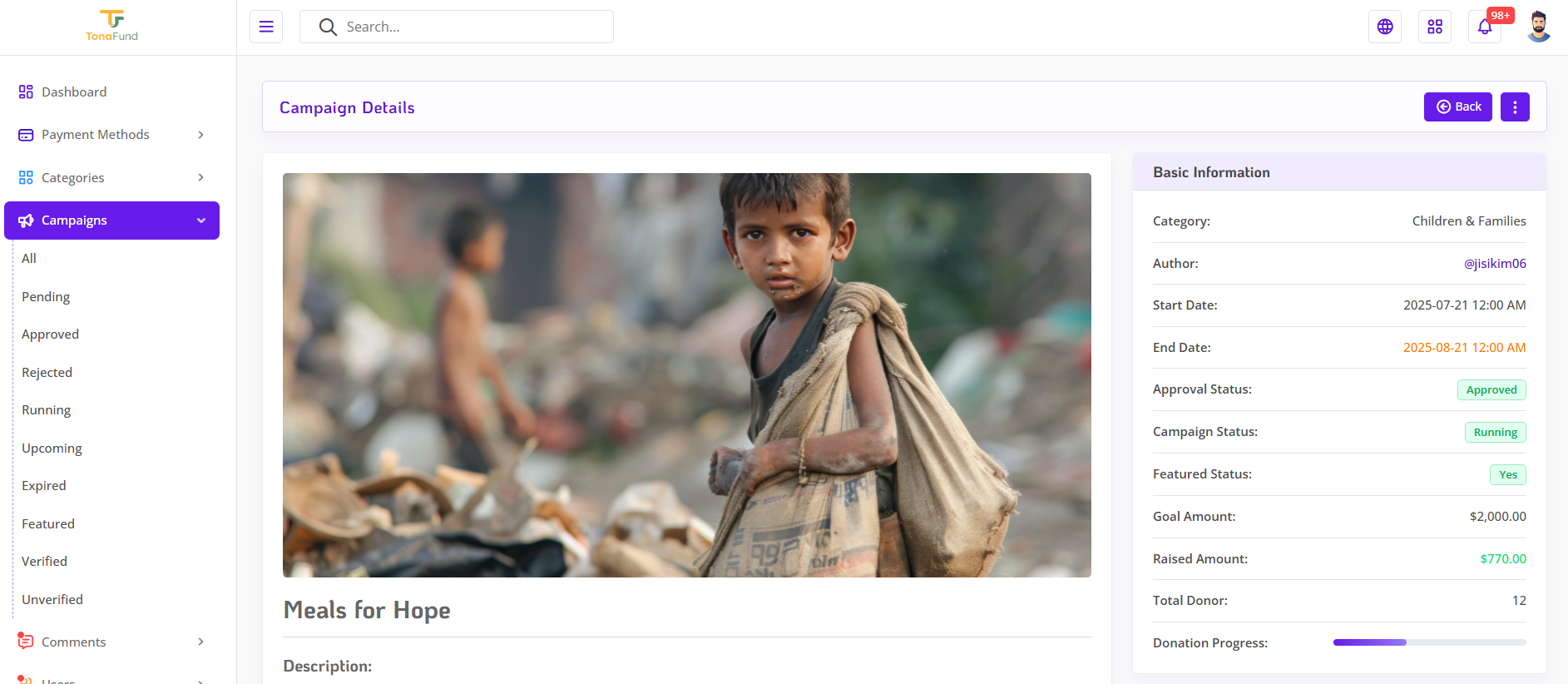
The campaign dashboard includes quick filters to navigate by status: All, Pending, Approved, Rejected, Running, Upcoming, Expired, Featured, Verified, and Unverified.
These filters offer a fast and intuitive way to manage campaigns in bulk or identify campaigns needing attention.
Admins can streamline their workflow by focusing only on relevant categories during moderation or updates.
This feature also enhances productivity when handling large campaign volumes. -
Donation Insights :
Visual representation of how much of the campaign’s fundraising goal has been achieved.
Admins can access granular details of each donation, including donor information and contribution amounts. -
Campaign Gallery Showcase :
Admins can upload, organize, and manage campaign images using an intuitive gallery interface.
Visual content enhances campaign appeal and helps donors connect emotionally with the cause.
The gallery feature strengthens trust by showcasing real-time progress and campaign impact. -
PDF Documentation Viewer :
Admins can view and review PDF documents associated with each campaign directly within the admin panel.
This streamlines the review process by keeping all campaign-related documents accessible in one place.
By mastering the tools provided in this section, you’re positioned to guide and elevate campaigns with purpose and precision. Whether you’re reviewing submissions, tracking donations, or highlighting impactful causes, your role is central to the success of the TonaFund platform and the communities it serves.
 Campaign Image - One
 Campaign Image - Two
 Campaign Image - Three